


How to change read/edit/delete permission on contents
Topic:
Admin
Description:
The content/page permission can be granted to certain users specifically. If a person has write/create/edit permission on a certain page, he/she can grant the permission to other users.
Once a page is opened, users should be able to see the following menu on the top of the screen.

When clicking into "GRANT", users will see another screen which allows to enter user-id for various permission.
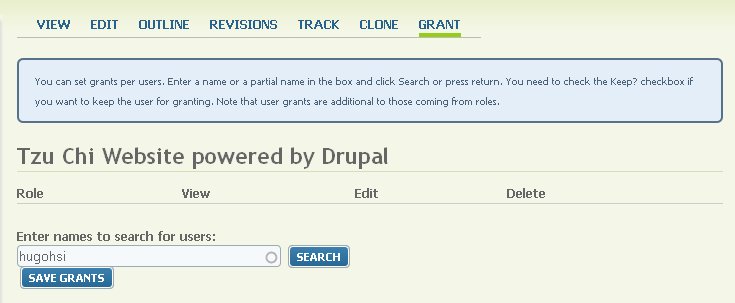
The owner of the page can grant view/edit/delete roles to certain users by entering the user-id in the box.


